
August 20, 2026
In 2018, ASTi transitioned Telestra and Voisus to Sentinel licensing and later expanded it across all ASTi products. USB license keys are now the production standard. This application note answers frequently asked questions about Sentinel licensing and your ASTi system. For additional questions, contact ASTi Support at (703) 471-2104 or support@asti-usa.com.
ASTi offers perpetual USB license keys and software licenses, 30-day evaluation licenses, and Enterprise License Agreements (ELAs), which run for a defined period of performance. Contact ASTi for more information about additional licensing methods.
USB license keys give you the power to choose when, where, and how to use your resources. They're more flexible because they let you transfer functionality among systems. Unlike software licenses or the legacy options file, which tie to a single system, USB license keys move between ASTi systems of the same type (e.g., a Voisus USB license key can move between Voisus servers but not to a Telestra server). This capability works across ASTi hardware, customer-furnished equipment (CFE), government-furnished equipment (GFE), and virtual machines, as long as the systems run the same ASTi product.
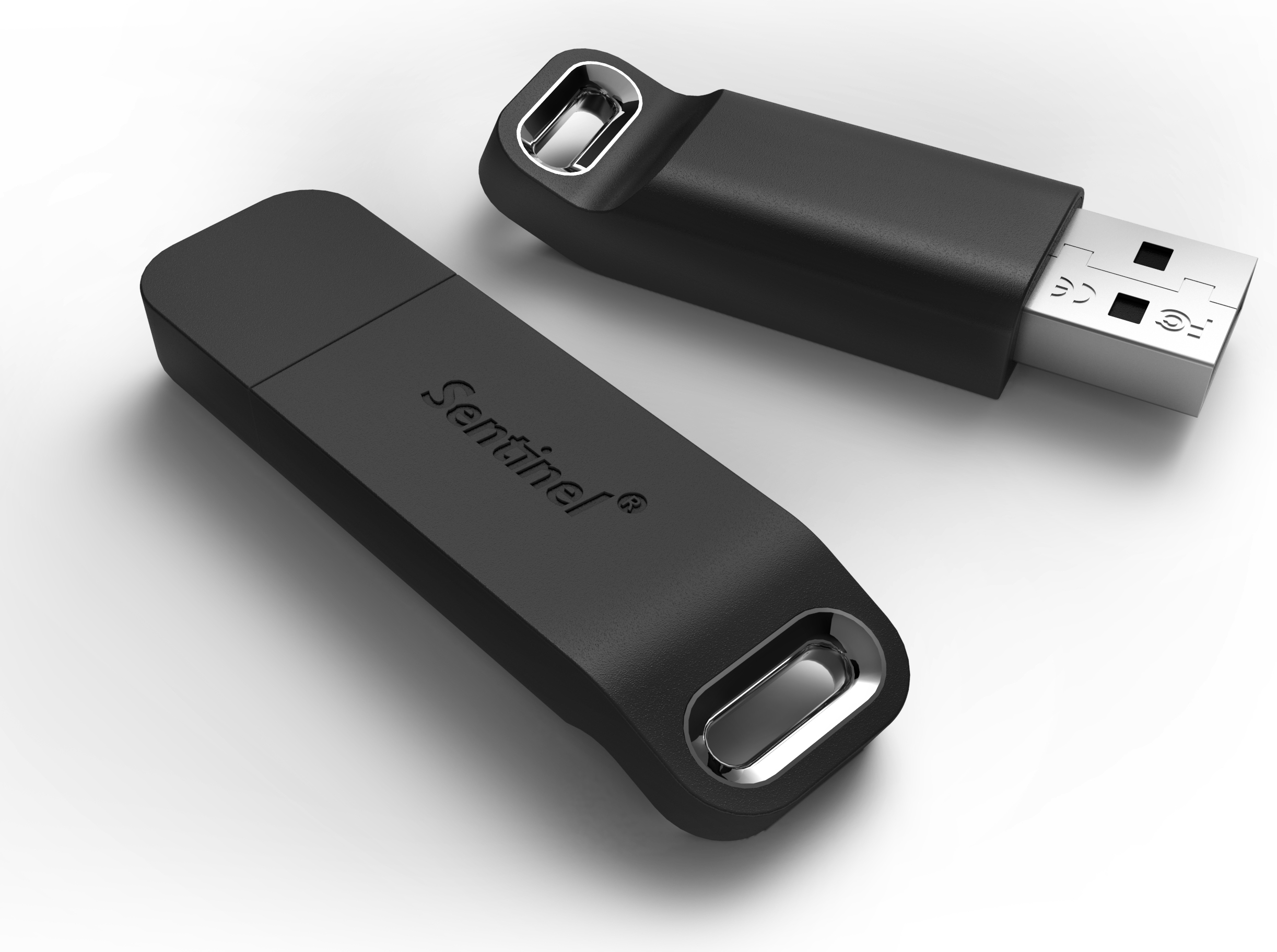
Stack multiple USB license keys on a single server, and the system pools the capabilities from each key together for certain license items, such as clients and credits. As a result, you can quickly pool your resources in a time crunch. Let's say you have a last-minute exercise coming up, but you're short ten Voisus clients. You can borrow those clients from another system, stacking multiple keys onto one server. The same approach works in Telestra. For example, stacking two USB license keys onto one Telestra server pools their resources together.
Note: Pooling availability and relevance vary by product. SERA doesn't support this capability. Comms Logger's license options don't apply to stacking. Redsim and Solo support pooling, though most customers don't use them this way.
If a system fails, a USB license key gets you back up and running fast: insert the failed system's key into a spare system, and its licensed functionality goes with it. This kind of quick swap is specific to USB license keys. Since a software license is tied to a single server's hardware fingerprint, you can't move it to a different system the same way; ASTi would need to issue a new license file for the replacement hardware.
Together, these benefits come down to one thing: USB license keys aren't locked to a single machine, unlike software licenses. That portability is what makes fast failover, cross-system resource pooling, and flexible deployment across ASTi hardware, CFE, GFE, and VMs possible.
The following software versions require either a USB license key or a software license:
Telestra 7.1.0 and later
Voisus 7.0.1 and later
SERA 1.21 and later
Comms Logger 2.0 and later
Redsim 2.1.1.11 and later
Solo 1.0.0 and later
Yes, USB license keys are approved for DoD deployment. The key is based on nonflash memory and does not report to the operating system as a removable storage device. For DoD deployment information, go to the following documents:
The Voisus Risk Management Framework (RMF) Authority to Operate (ATO) accreditation package also lists the Sentinel key within the eMASS record. For ASTi's eMASS Package ID, go to Where can I find a copy of the ASTi ATO?.
The table below shows how text-to-speech (TTS) and speech recognition (SR) licensing have shifted from ASTi's legacy options file mechanism to USB license keys and software licenses across Telestra versions:
| Software Version | TTS Support | SR Support |
|---|---|---|
| Telestra 8.X and later |
ASTi USB license key or software license Note: Telestra 8.X and later no longer require a third-party license for TTS. Go to Telestra/Voisus 8.X Upgrade and your ASTi System (#133) or contact support@asti-usa.com for more information. |
ASTi USB license key or software license |
| Telestra 7.X | ASTi options file and third-party licensing or ASTi software license | ASTi USB license key or software license |
| Telestra 6.X and earlier | ASTi options file and third-party licensing | ASTi options file |
Each USB license key comes with an attached ID tag. When you plug a key into a system, you can check its ID and enabled software features on the licensing page in the associated product's interface, or in the Sentinel Admin Control Center for Redsim.
Here's an example of a USB license key ID tag for Voisus:

License files also include a trackable ID in the Telestra, Voisus, Comms Logger, SERA, and Solo interfaces and in the Sentinel Admin Control Center for Redsim. You will receive a license file ID in the ASTi File Transfer Portal. If you do not receive this information, contact your ASTi application engineer.
Go to Cpl.thalesgroup.com for original manufacturer information.